waiting for signals. When you reconnect, recent history loads automatically so you don’t miss anything.
Anatomy of a token card
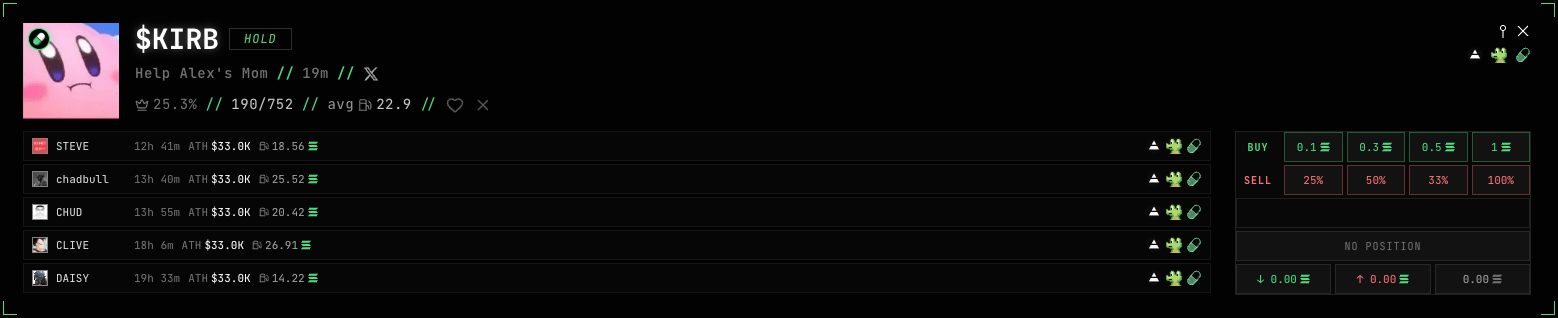
- Ticker (
$KIRB) and strategy tag (HOLD) - why the token is in your feed. - Name and age (Help Alex’s Mom, 19m) plus social links.
- Dev stats: 👑 25.3% - share of the dev’s tokens that migrated; 190/752 - migrated out of all tokens launched; avg 22.9 - the dev’s average fee.
- The dev’s past tokens (STEVE, chadbull, …) - age, all-time-high and fee of each. Shows how consistent the dev is.
- Actions: ♥ add the dev to favorites, × block.
What the signals mean
Strategies score the dev (token creator) from their history and tell you what the signal means.X SIGNAL and ♥ TWITTER DEV
X SIGNAL (blue badge) - the token was deployed by a known Twitter dev: the creator’s wallet matched an X account on our list. Available on the paid TRADER KIT plan.Your own list of Twitter devs
♥ TWITTER DEV is your personal list of up to 100 X accounts. It opens from the site menu: the TWITTER DEV LIST button.
Site menu - the TWITTER DEV LIST button
@handle or profile link, your own tag on each dev, Import / Export CSV.
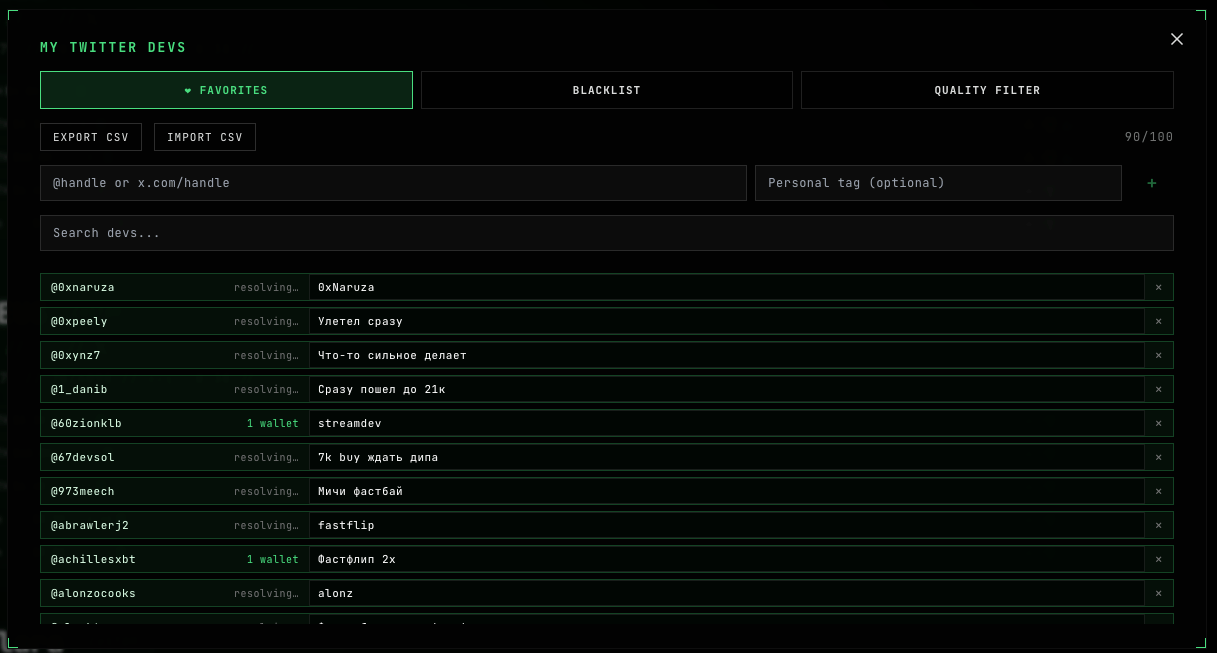
- ❤ X SIGNAL - the creator’s wallet is confirmed: it belongs to this dev.
- ❤ NEW POST - the token lists the same Twitter, but the wallet is not confirmed yet. It lands about a second after the deploy; once the wallet is confirmed, the signal upgrades to ❤ X SIGNAL on its own.
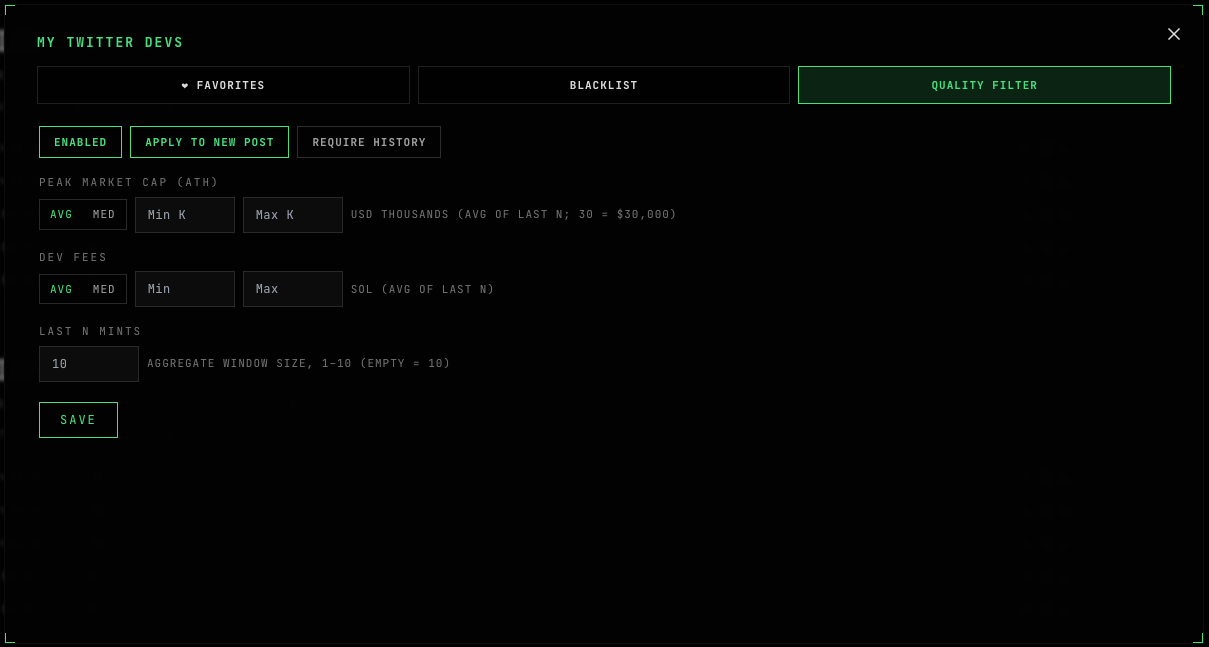
Quality Filter - dev quality thresholds for your Twitter list
The Quality Filter tab weeds out weak devs even from your own list. Three switches:- Enabled - turn the filter on.
- Apply to NEW POST - also apply it to ❤ NEW POST signals (on by default).
- Require history - demand a launch history from the dev; when off, a dev with no history passes.
Choose your strategies (side menu)
The menu button in the header opens the strategy panel.
- FLIP - FLIP9S and FLIP20K signals
- HOLD - HOLD, WATCH and 1/1
- XSIGNAL - X signals
- ♥ DEV - tokens from your favorite devs
- CUSTOM - tokens matching your filters
Custom filters
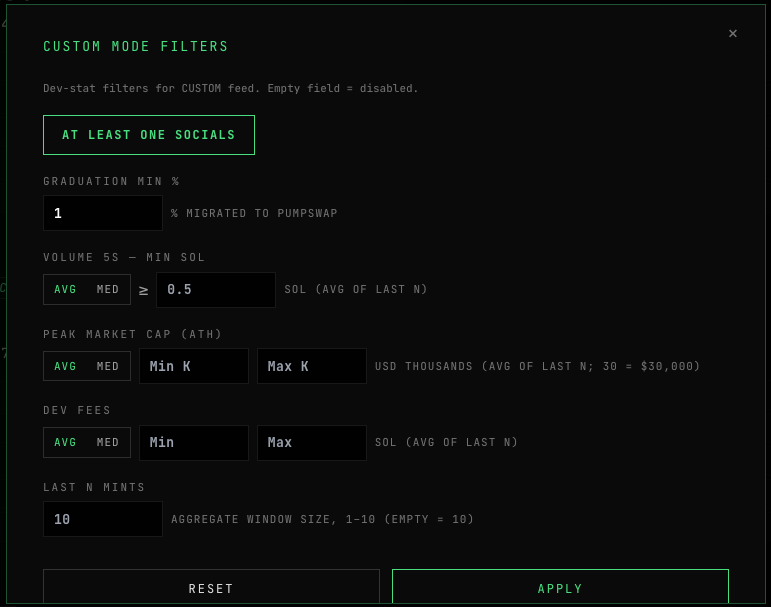
Open CUSTOM FILTERS to decide which tokens reach your CUSTOM feed. A token only shows if its developer passes all your thresholds. Leave a field empty to switch that filter off.- At Least One Socials - the token has at least one social link.
- Graduation min % - the dev’s minimum migration rate.
- Volume 5s - min SOL - minimum volume in the first 5 seconds.
- Peak market cap (ATH) - the peak market cap of the dev’s past tokens, a Min-Max range in thousands of dollars (
30= $30,000). Cuts off both junk devs from below and over-hyped ones from above. - Dev fees - how much in fees the dev has collected from their tokens, a Min-Max range in SOL.
- Last N mints - how many of the dev’s recent tokens all of this is computed over (1-10, empty = 10).
Favorite devs
Keep a list of devs you like - a wallet address plus an optional name, up to 500. Their new tokens are highlighted in the feed with a green ♥. You can search the list and import/export it.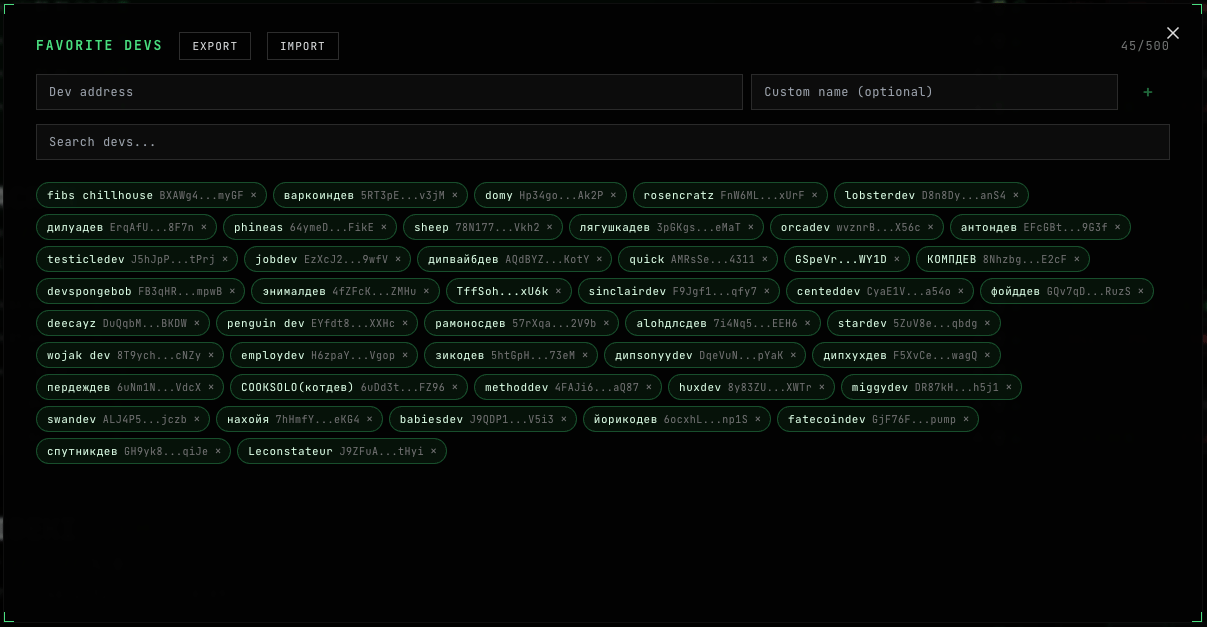
Blacklist
For each of the 4 strategies (FLIP / HOLD / X SIGNAL / CUSTOM) you can block devs (by wallet address) or words (banwords) in the token name or ticker. Blocked items won’t reach that strategy’s feed. Import/export is supported.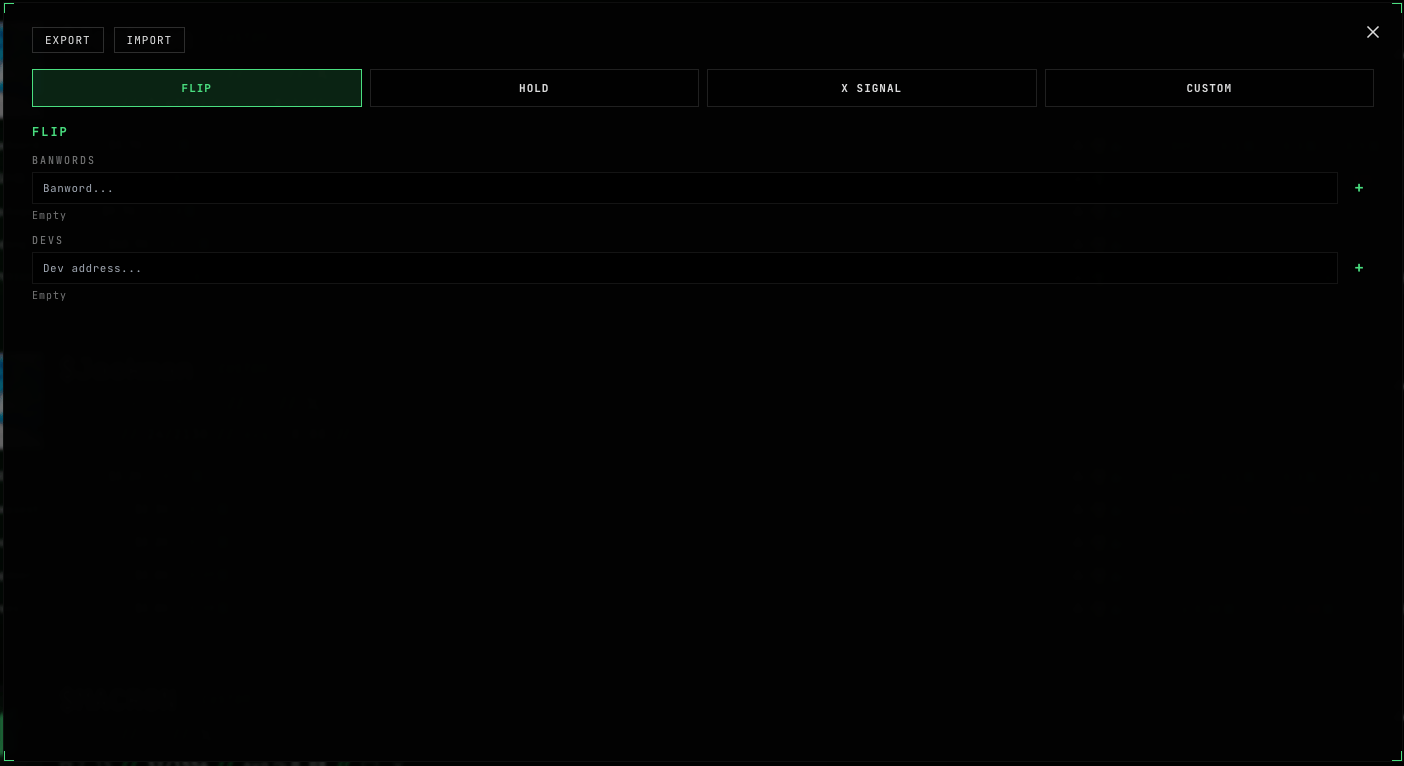
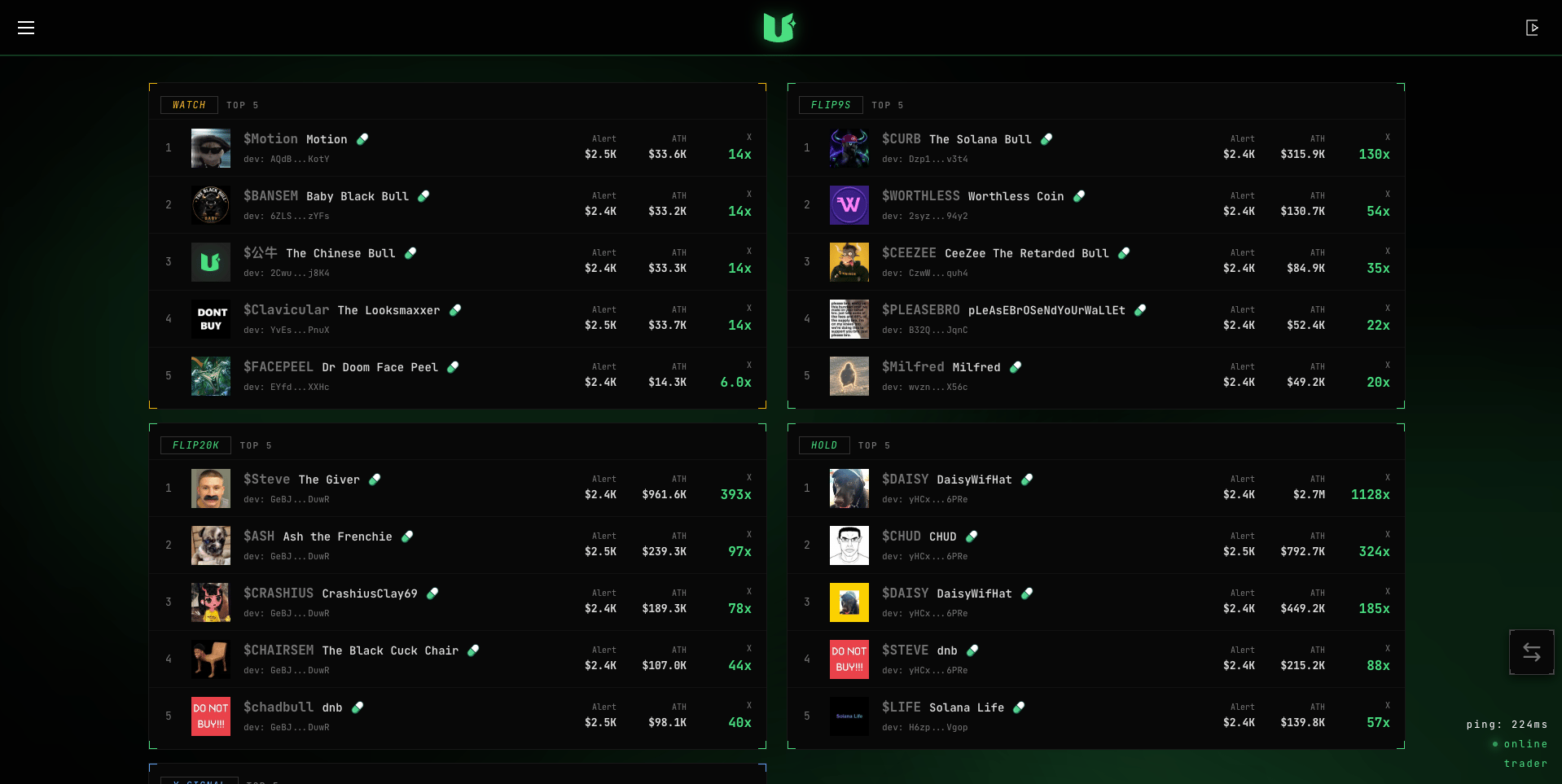
TOP - best signals of the last 24h
The TOP tab shows the 5 best tokens per strategy over the last 24 hours: WATCH, FLIP9S, FLIP20K, HOLD and X SIGNAL. For each - the ticker, the market cap when it fired, its all-time-high, and the growth multiple (e.g.3.4x).
Next: caller signals
Calls, buys and sells from fomo and pump.fun callers, plus fee claims - the SIGNALS tab.