Notifications
When a signal fires, a card pops up at the top of the screen: the strategy tag, ticker, token name, market cap and dev stats. Click the card to open the token in your chosen terminal.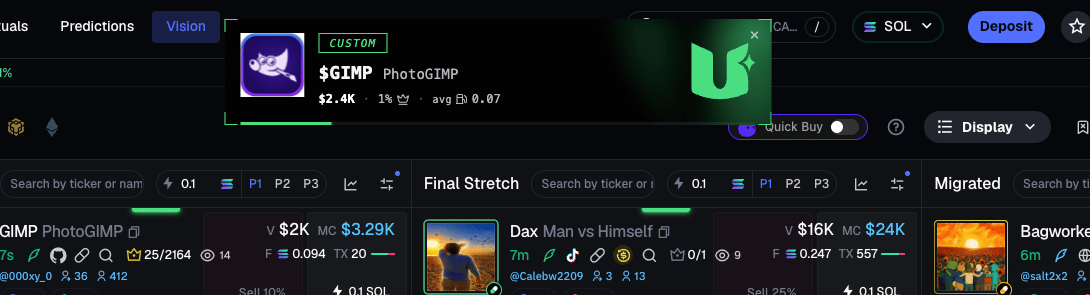
The SIGNALS window on top of your terminal
On Axiom, GMGN, Terminal and pump.fun the extension draws a round green button: click it - and the floating SIGNALS window opens right over the terminal, the same feed of your callers’ signals, no switching anywhere.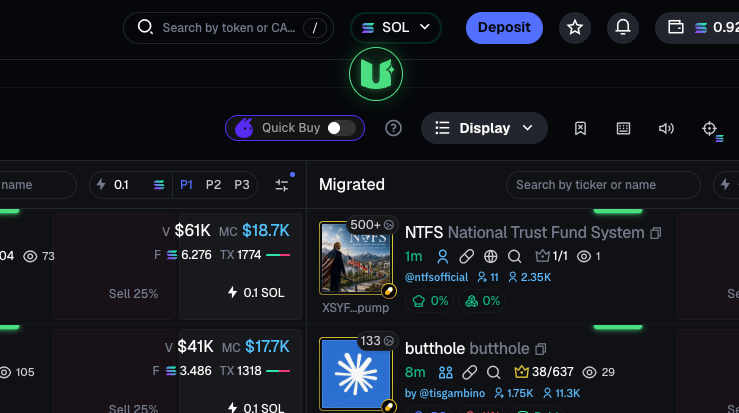
The window button - drag it wherever you like
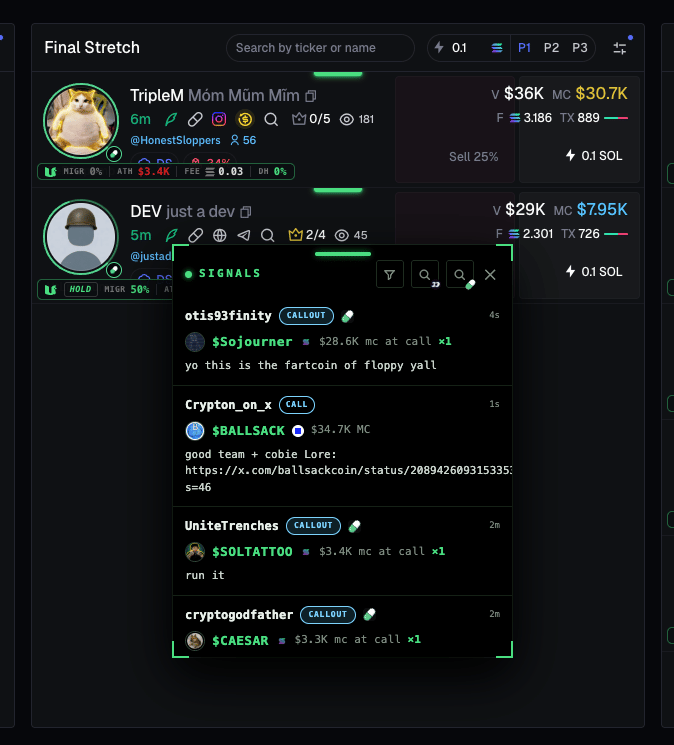
- Drag the button and the window anywhere; resize the window by its edges - position and size are remembered.
- Click a signal - the token opens in your terminal.
- The ✕ closes the window and brings the button back.
- The window gets out of the way on its own: while a foreign preview is open (a tweet preview, a wallet history, a full-screen terminal modal), it hides and comes back once you close the preview. A small circle stays on screen to bring it back manually.
- Subscriptions right from the window: the search buttons in the window header open a caller search - fomo or pump.fun - and you can follow right there, without going to the site. Search for a pump.fun caller in the window by their wallet address.
Window filters
- SOURCES - FOMO (hover the tile for the buy / sell / call filter) and PUMP.FUN (pump.fun caller calls).
- FOMO CHAINS - chains: keep only the ones you need - no banners or sound for the rest.
- **MIN MCAP · 1,000. An empty field means that bound is off; signals outside the range are hidden both in the window and in notifications. If “from” is greater than “to”, the fields turn red and the filter is not applied.
- FEE CLAIMS - fee claims: two FEE CLAIM tiles, Solana and Robinhood Chain, told apart by the chain logo.
The dev stats badge on Axiom
Works on Axiom only: a stats line right inside the Pulse cards, and a separate badge on the token page - drag it wherever you like. Available on the paid TRADER KIT plan. Turned on with the DEV STATS toggle in the extension popup (on by default).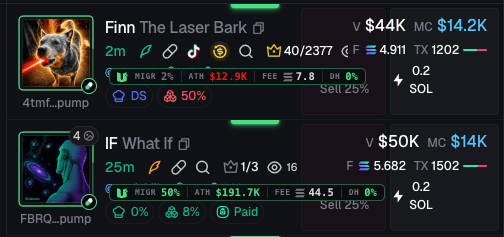
- MIGR - the share of their tokens that migrated; green at ≥30%.
- ATH - median peak market cap across the dev’s last 5 tokens; green above $50K.
- FEE - median fee in SOL.
- DH - how much of the token the dev holds right now; refreshed every ~3 seconds. 0% in green - the dev is out, >7% in red.
- ♥ - the dev is on your favorites list.
- A signal badge (FLIP / WATCH / X SIGNAL / NEW POST / …) - what our strategies make of the token.
- ❤ X SIGNAL and ❤ NEW POST - personal badges: this token’s dev is on your Twitter list. They have no switch of their own (the ♥ TWITTER DEV tile only controls notifications); the only way to hide them is the DEV STATS toggle - it removes the whole badge. If a personal and a global badge refer to the same event, only the personal one is drawn.
New dev funding
If the dev has no history, the badge says NEW DEV · FIRST LAUNCH. When the dev’s wallet was funded by another Solana wallet with a dev history, a FUNDER line with that wallet’s stats appears a few seconds later: the link between one dev’s wallets is visible right away.The tooltip: the dev’s recent tokens
Click the badge to open the tooltip - the dev’s last 5 tokens: ticker, age, ATH and fee. Migrated ones are highlighted. Click a row to open that token in your terminal. If the dev is a favorite and you left a note about them, the note sits on the top line.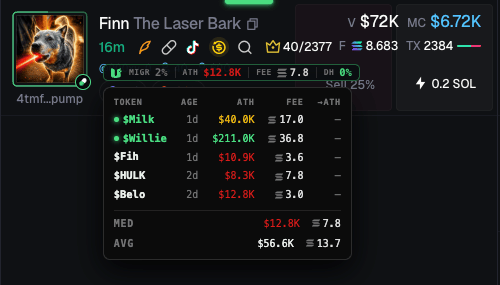
Popup settings
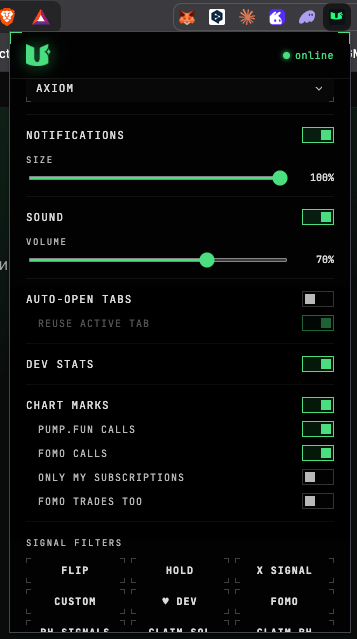
- Key - paste and save; Reconnect re-connects.
- Terminal - Axiom / GMGN / Terminal, where tokens open.
- Notifications - on/off and card size.
- Sound - on/off and volume.
- Auto-open tabs - open the token automatically on a signal; Reuse active tab - reopen in the same tab instead of piling up new ones. Opening is fast: the token page swaps inside the already-open terminal tab, no full reload.
- Signal filters - which signals to show: FLIP / HOLD / X SIGNAL / CUSTOM / ♥ DEV / FOMO / CLAIM SOL / CLAIM RH / PUMP.FUN. By default X SIGNAL, CUSTOM, FOMO and PUMP.FUN are off - switch on the ones you need; CLAIM SOL and CLAIM RH are on out of the box; on FREE some tiles are hidden. CLAIM SOL and CLAIM RH are fee claims by chain, PUMP.FUN is pump.fun caller calls.
- ♥ TWITTER DEV - a tile: signals from devs on your Twitter list.
- DEV STATS - the dev stats badge on Axiom, on/off (on by default).
- CHART MARKS - calls on the chart in Axiom and GMGN, with its own sub-toggles.
Tools on pump.fun and four.meme
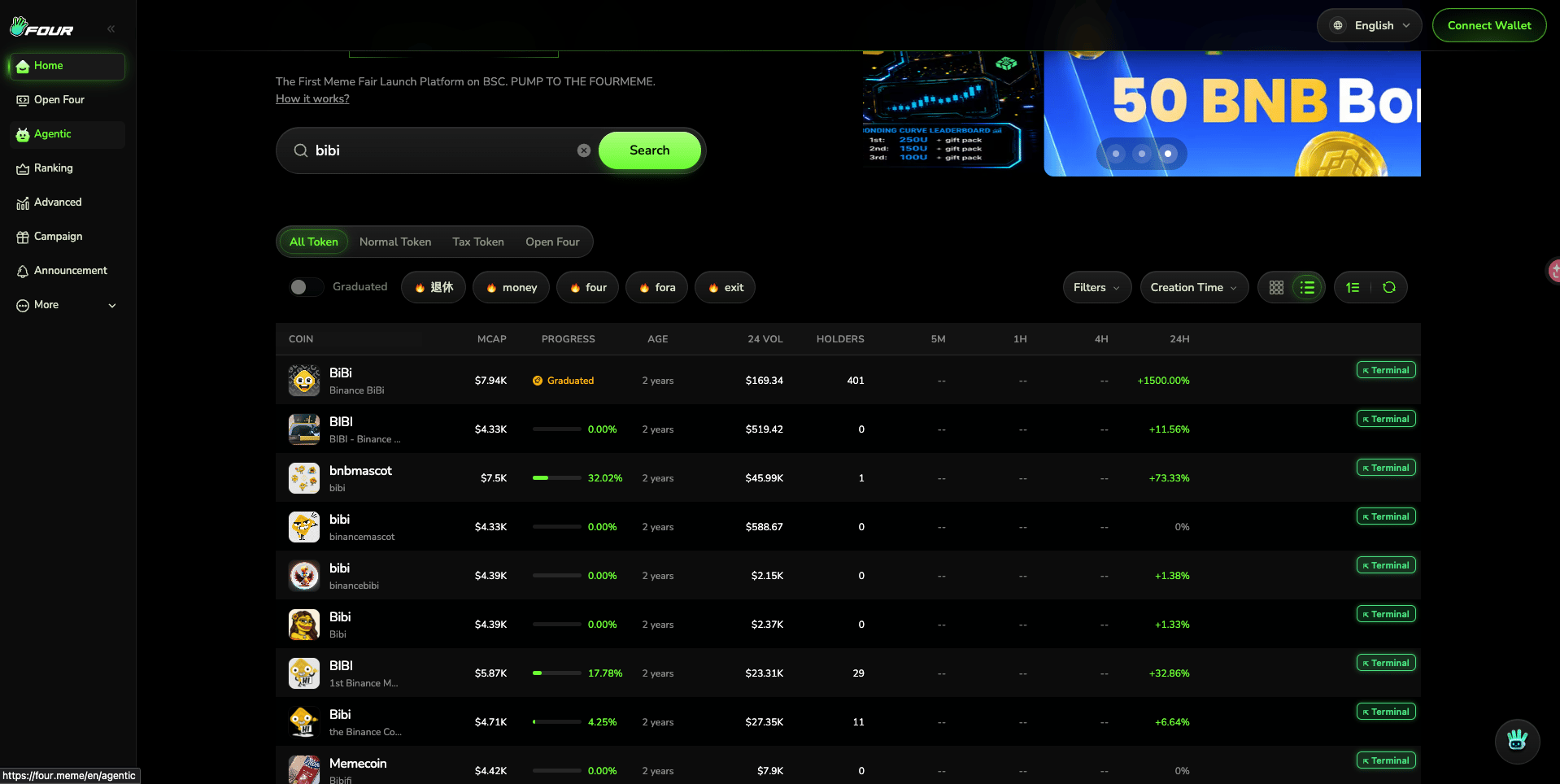
On pump.fun search cards the extension adds a V 5m badge (5-minute volume in SOL) and an “open in terminal” button.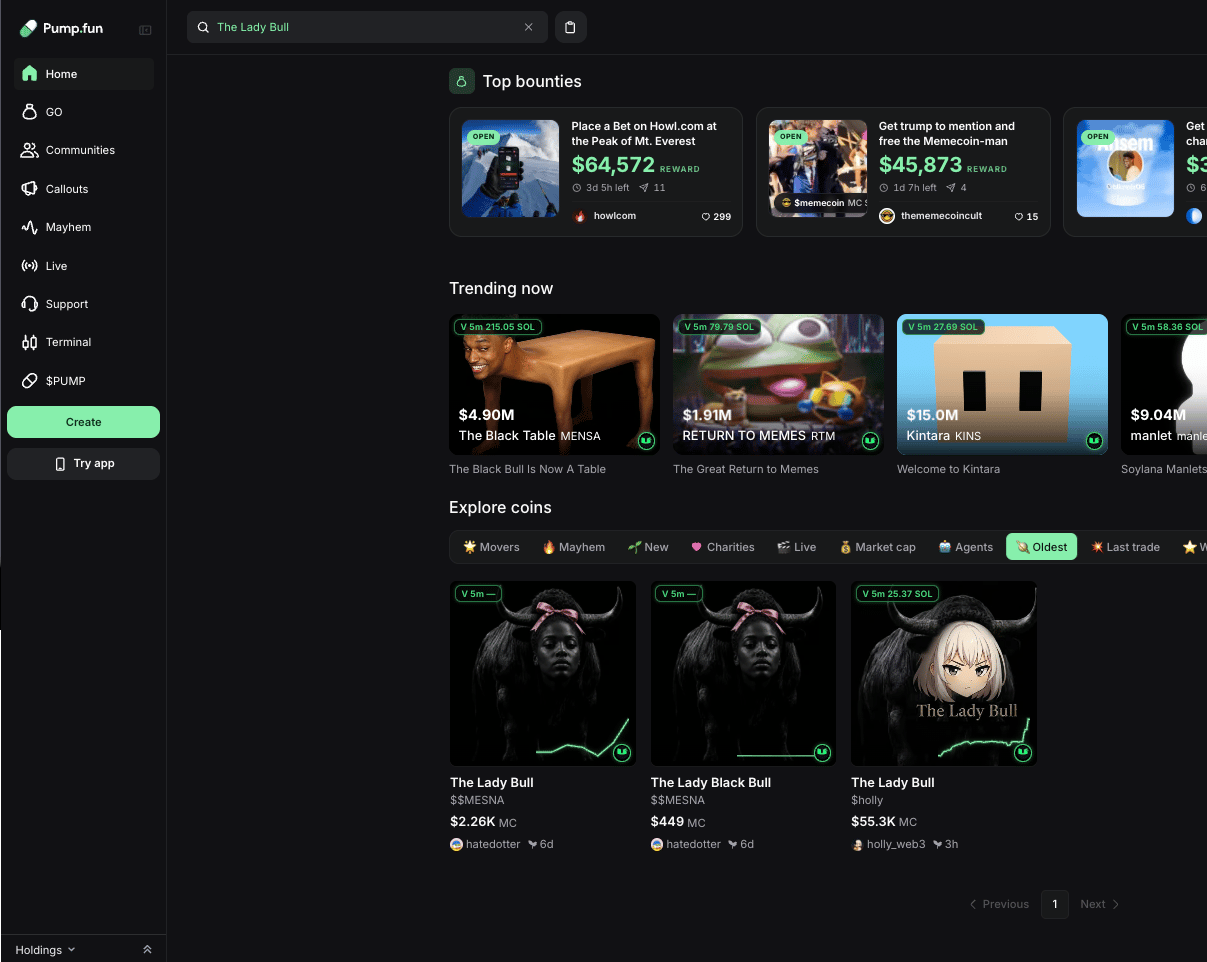
The stock ticker badge on GMGN (Robinhood Chain and BSC)
On Robinhood Chain and BSC, memecoins get launched paired with tokenized stocks - NVDAB (Nvidia) or SPYB (S&P 500), for example. When a token is launched in such a pair, the extension pins a small badge with that stock’s ticker onto the token’s card in the GMGN feed and onto the token page - drag it wherever you like. The badge appears for tokenized assets from legal issuers - stocks, ETFs, plus gold, silver and treasuries; wrapped crypto (BTCB, WBNB) doesn’t get one. Available on the paid TRADER KIT plan.Next: OG Finder
Find the original token behind any memecoin.