How to open
A thin green marker appears above a token card in the feed and above a token page: on Solana - in Axiom, GMGN and Terminal, on BSC and Robinhood - in Axiom and GMGN. Hover it and the panel opens on its own. Close it with ✕.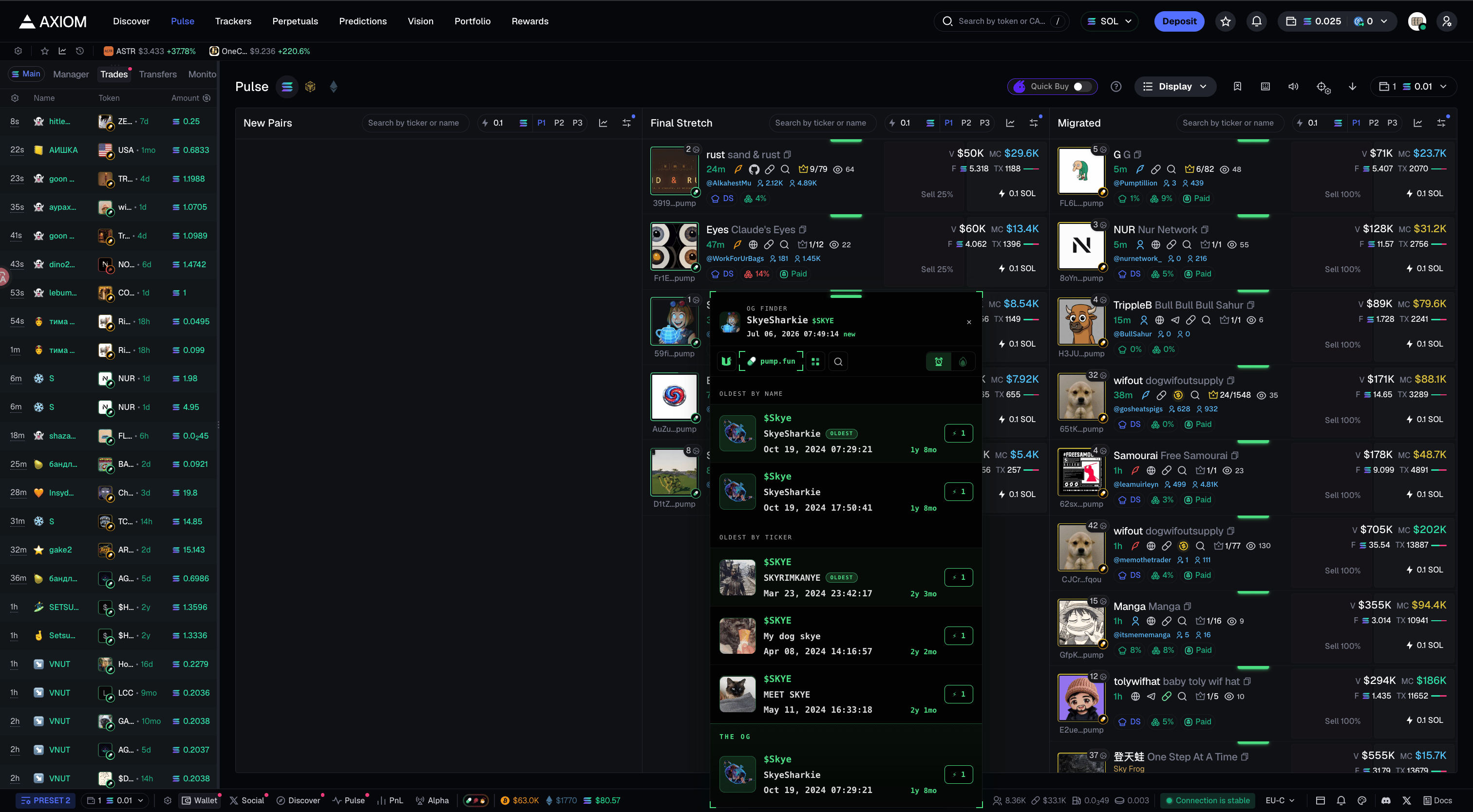
Inside the panel
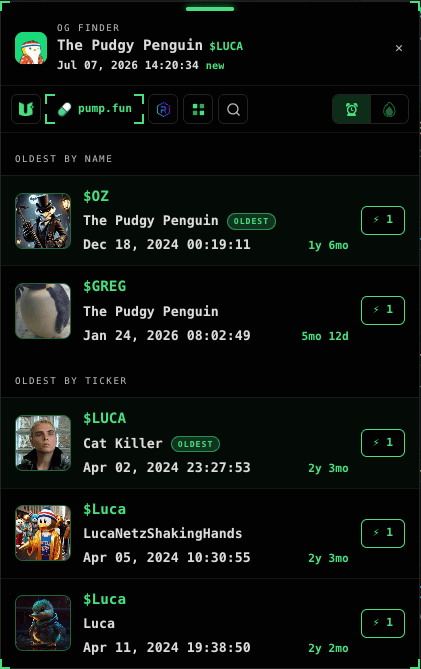
- Header - the token itself: avatar, name,
$ticker, exact creation date & time and age. - Two lists - the oldest namesakes by name and by ticker, up to 3 each. The eldest gets an OLDEST badge.
- Each row - avatar,
$ticker, name, date and age.
Where we search - launchpads per chain
The buttons at the top of the panel pick where to hunt for the OG. Each chain has its own venues:- Solana - OG Finder · pump.fun · Bonk · Bags · Raydium · StonkFun · All plus manual word search. OG Finder is image search: the AI reads pictures by meaning, it doesn’t compare the drawings; Solana only. All searches everywhere at once.
- BSC - Four.meme · Flap plus a magnifier for manual search (the word is matched both as a name and as a ticker). The OLDEST badge on BSC searches the entire four.meme history - it finds the true first token, not just the oldest among recent ones.
- Robinhood Chain - Noxa · Klik · Flap · Trench · Bankr · Long · Pons · Ape · Pools · Sushi · Cash plus All.

Sources on Robinhood

Sources on Solana
Actions
Open the token
Left-click - open in the current tab. Middle-click (wheel) - in a background tab.
THE OG
At the bottom of the panel, on Solana - the THE OG block: an auto-verdict. The server combines image, ticker and name and surfaces the most likely OG when it finds one.Next: support
If something’s off, message support.