Connect your wallet
Open the TRADING tab → Wallet:
Once connected you see your balances. remove deletes the key and cancels your limit orders.
Presets & settings
Set up your quick buy (in SOL) and sell (in % of position) buttons — they appear in the feed and the panel. You also set the quick-buy amount for the OG extension, plus slippage and priority fee. Everything is saved with APPLY.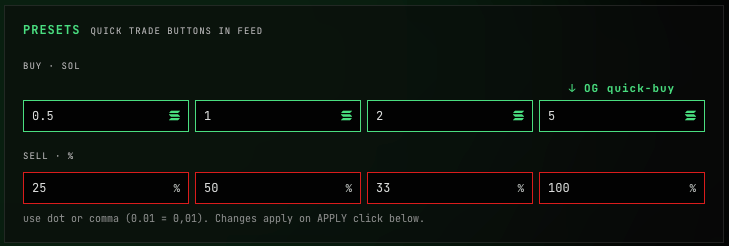
Trading
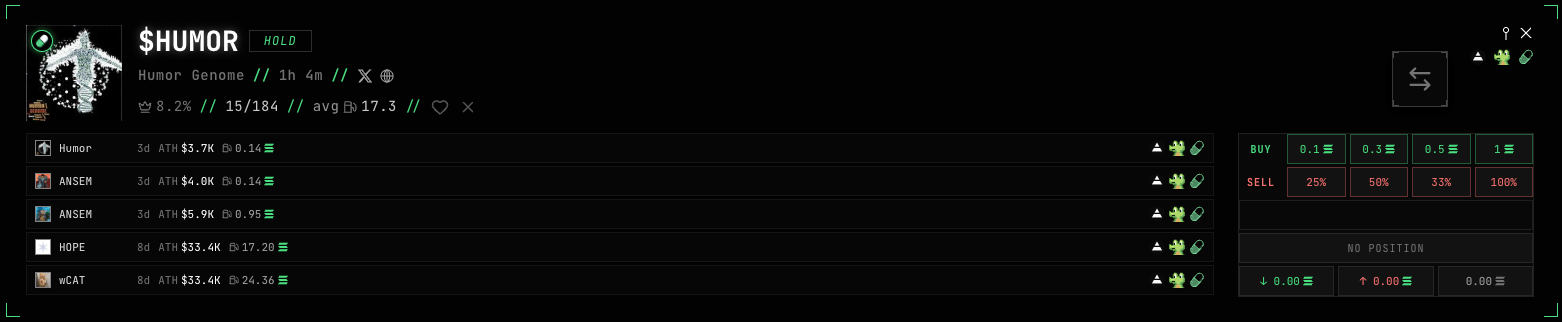
From the feed (inline): tap a preset on the card — the status shows live (submitting → sent → confirmed/failed), with your position and PnL below.
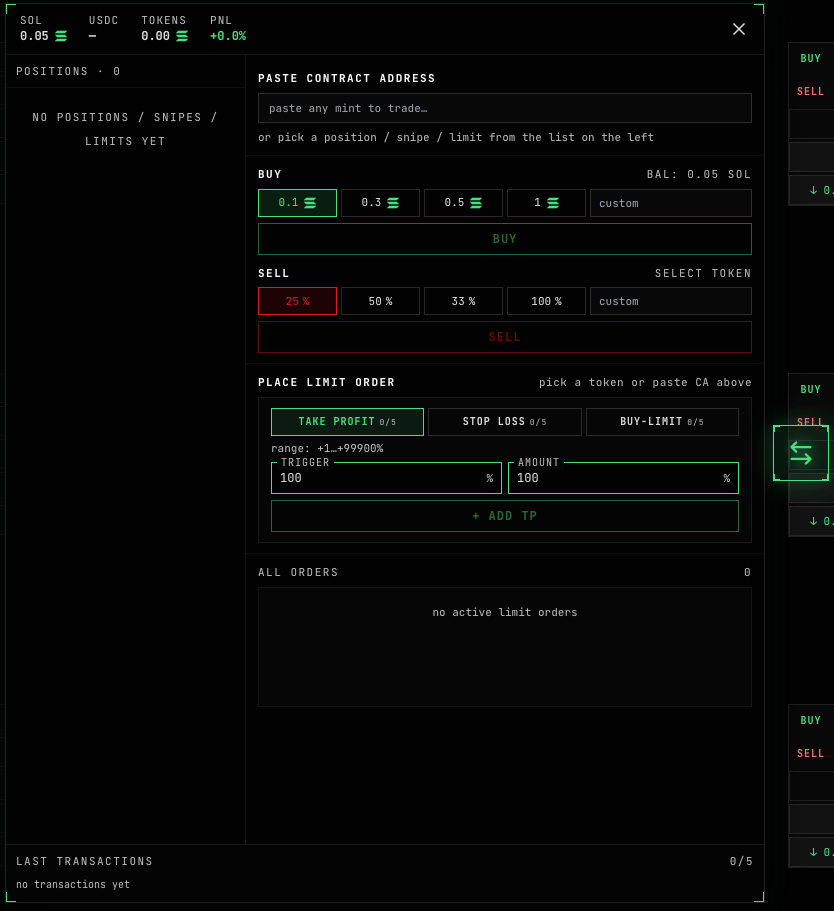
- At the top — SOL, USDC, token value and portfolio PnL%.
- On the left — the positions list (real, pending snipes, limit-only).
- Paste a token address (CA) to trade any token, or pick from the list.
- BUY (in SOL) and SELL (in %) forms — presets or a custom amount.
- At the bottom — the last 5 transactions with status and a Solscan link.
Limit orders
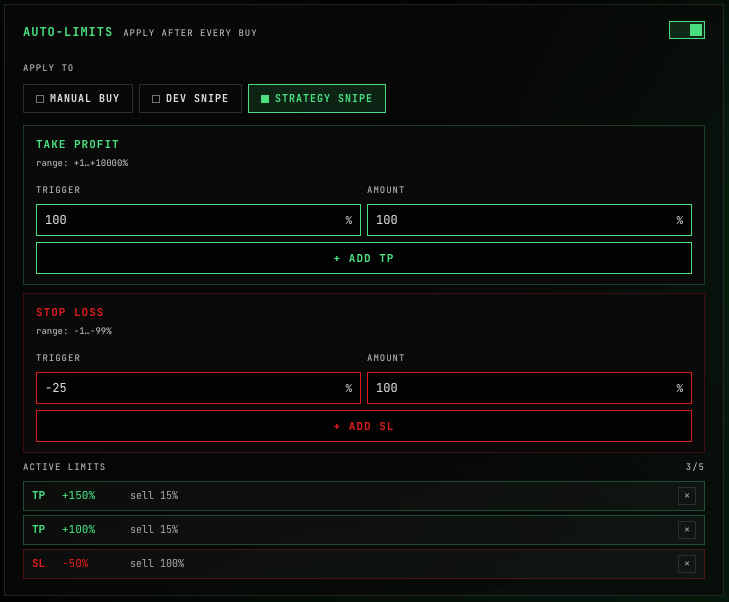
Placed in the trade panel; they fire automatically. Up to 5 orders of each type per token:| Type | What it does |
|---|---|
| Take Profit | Sell a % of the position when price is up by your +% |
| Stop Loss | Sell a % when price is down by your −% |
| BUY-LIMIT | Buy more when the market cap drops by −% below the current one |
Take Profit and Stop Loss work today. BUY-LIMIT is in the UI, but execution is still in progress.
Sniping
The sniper buys a token for you the moment a condition is met. Both snipers are off by default.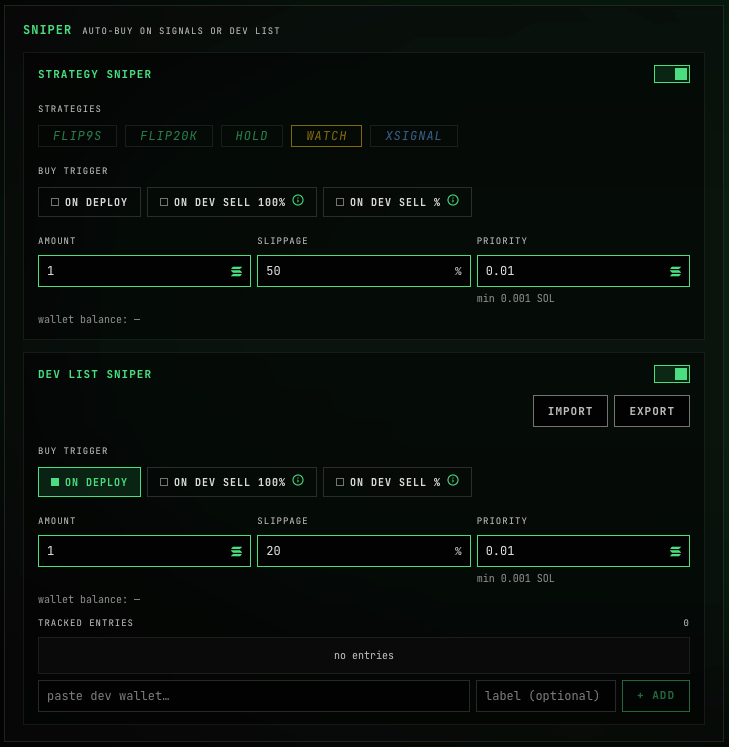
- Strategy Sniper — auto-buy on a signal from the strategies you pick (FLIP9s / FLIP20k / HOLD / WATCH / XSIGNAL).
- Dev List Sniper — auto-buy from your own list of dev wallets (import/export as text).
- on deploy — on the token’s launch
- on dev sell 100% — when the dev fully exits (sells everything)
- on dev sell ≥% — when, on their first sell, the dev dumps more than your threshold
Next: the extension
What USEFUL adds on top of Axiom, GMGN and Terminal.