> ## Documentation Index
> Fetch the complete documentation index at: https://docs.usefulsol.fun/llms.txt
> Use this file to discover all available pages before exploring further.
# The feed & signals
How to read the feed, break down a token card, and understand every signal. New cards arrive on top in real time; when it's quiet you'll see a blinking `waiting for signals`. When you reconnect, recent history loads automatically so you don't miss anything.
## Anatomy of a token card
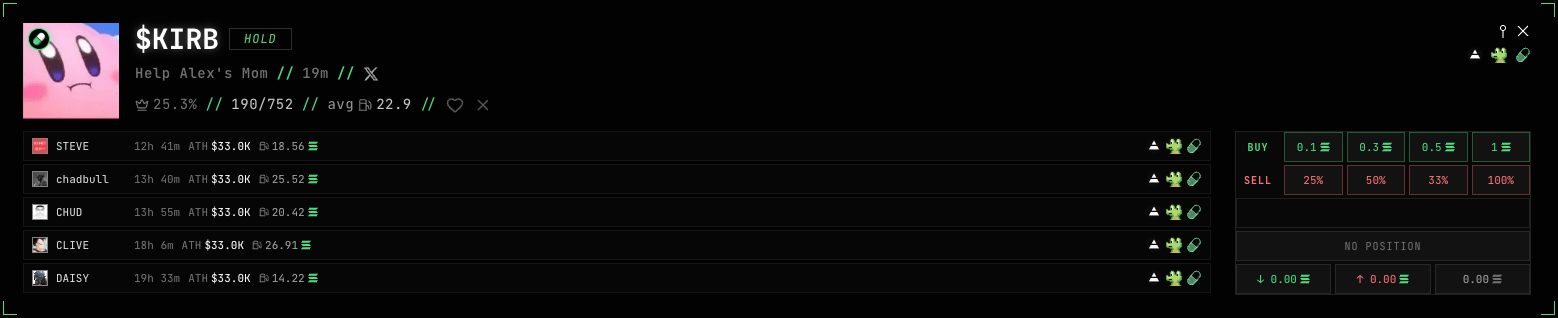
A card has everything you need to decide:
* **Ticker** (`$KIRB`) and **strategy tag** (`HOLD`) — why the token is in your feed.
* **Name and age** (Help Alex's Mom, 19m) plus social links.
* **Dev stats:** 👑 25.3% — share of the dev's tokens that migrated; 190/752 — migrated out of all tokens launched; avg 22.9 — the dev's average fee.
* **The dev's past tokens** (STEVE, chadbull, …) — age, all-time-high and fee of each. Shows how consistent the dev is.
* **Actions:** ♥ add the dev to favorites, × block.
* **Trading on the right** (paid plan): BUY buttons (in SOL) and SELL (in % of position), plus position status.
Click the ticker to copy the contract address (CA). The terminal icons open the token in Axiom / GMGN / Terminal.
## What the signals mean
Strategies score the **dev** (token creator) from their history and tell you how to trade the new token.
| Tag | What it means |
| ------------ | ----------------------------------------------------------------------------------------- |
| **FLIP9S** | Fast scalp: buy the token right away and sell before the 9th second at +30%. |
| **FLIP20K** | A slightly longer flip: tokens more often reach \~\$20k market cap. |
| **WATCH** | Worth a look — study the dev and the token. |
| **HOLD** | A dev whose tokens migrate most often. |
| **1/1** | The dev has launched just 1 token, with 1 migration. |
| **X SIGNAL** | Catches launches from favorite devs based on their posts on X (Twitter). TRADER KIT only. |
| **♥ DEV** | A new token from a dev on your favorites list. |
| **CUSTOM** | A token from a dev that passed your custom filters. |
## Choose your strategies (side menu)
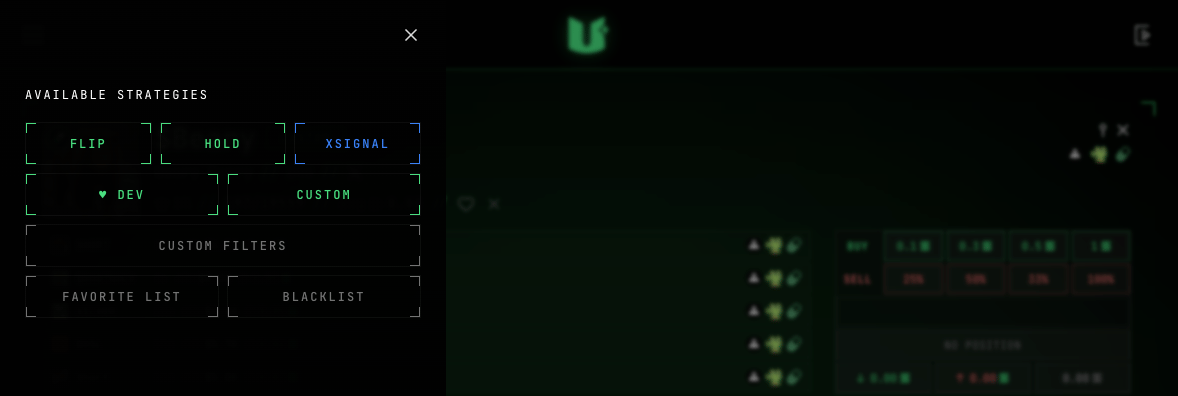
The menu button in the header opens the strategy panel.
In the side menu you turn strategies on and off — active ones glow green, switched-off ones stop arriving:
* **FLIP** — FLIP9S and FLIP20K signals
* **HOLD** — HOLD, WATCH and 1/1
* **XSIGNAL** — X signals
* **♥ DEV** — tokens from your favorite devs
* **CUSTOM** — tokens matching your filters
At the bottom are the **CUSTOM FILTERS**, **FAVORITE LIST** and **BLACKLIST** buttons (covered below).
## Custom filters
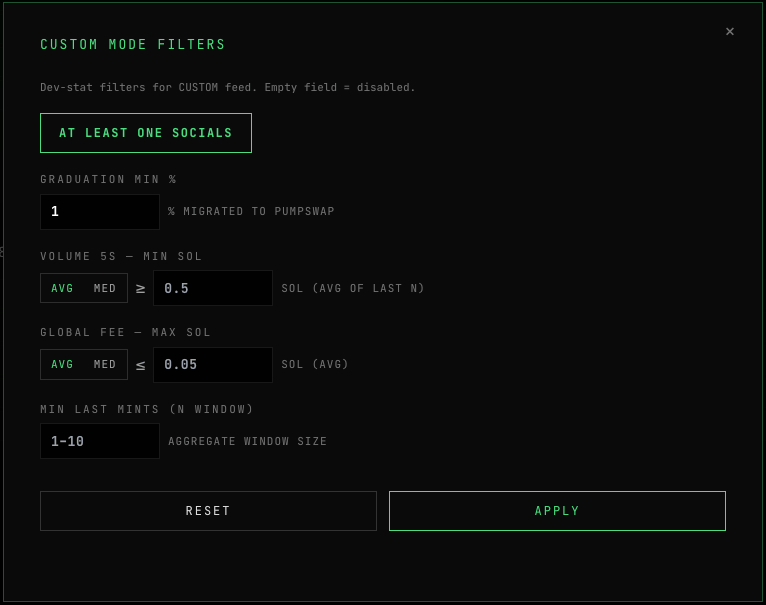
Open **CUSTOM FILTERS** to decide which tokens reach your CUSTOM feed. A token only shows if its developer passes your thresholds. Leave a field empty to switch that filter off.
* **Graduation min %** — the dev's minimum migration rate
* **Volume 5s min (SOL)** — minimum volume in the first 5 seconds (average or median)
* **Global fee max (SOL)** — max fee across the dev's tokens
* **Min last mints** — how many of the dev's recent tokens to aggregate volume and fee over (1–10)
* **At Least One Socials** — the token has at least one social link
## Favorite devs
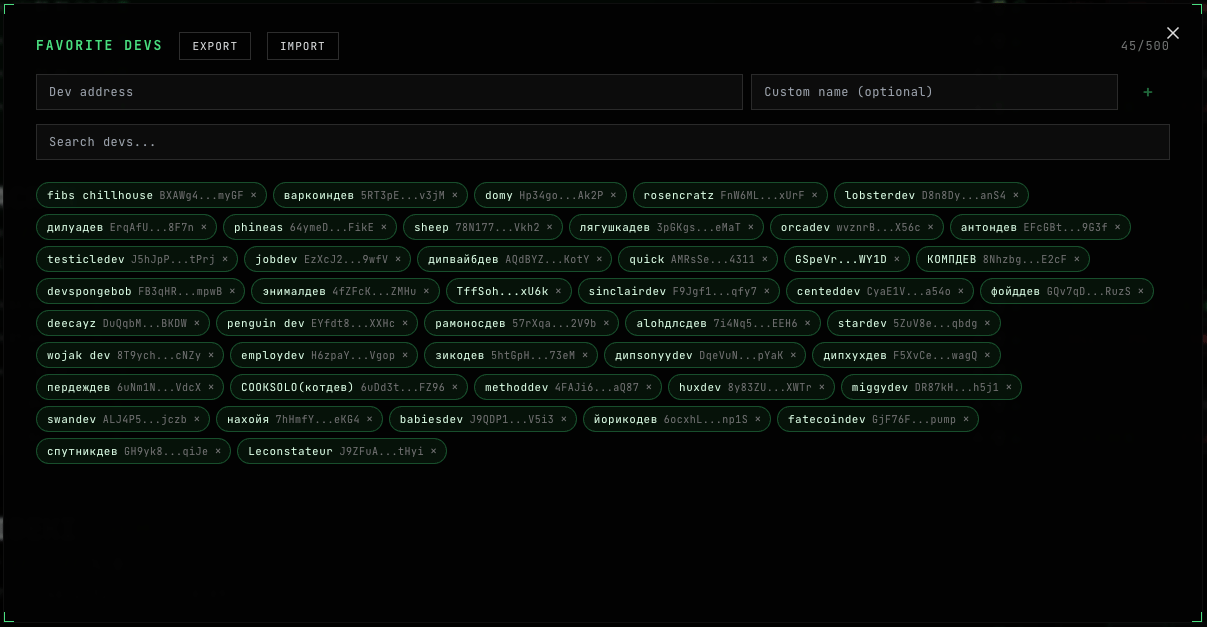
Keep a list of devs you like — a wallet address plus an optional name, up to 500. Their new tokens are highlighted in the feed with a green ♥. You can search the list and import/export it.
## Blacklist
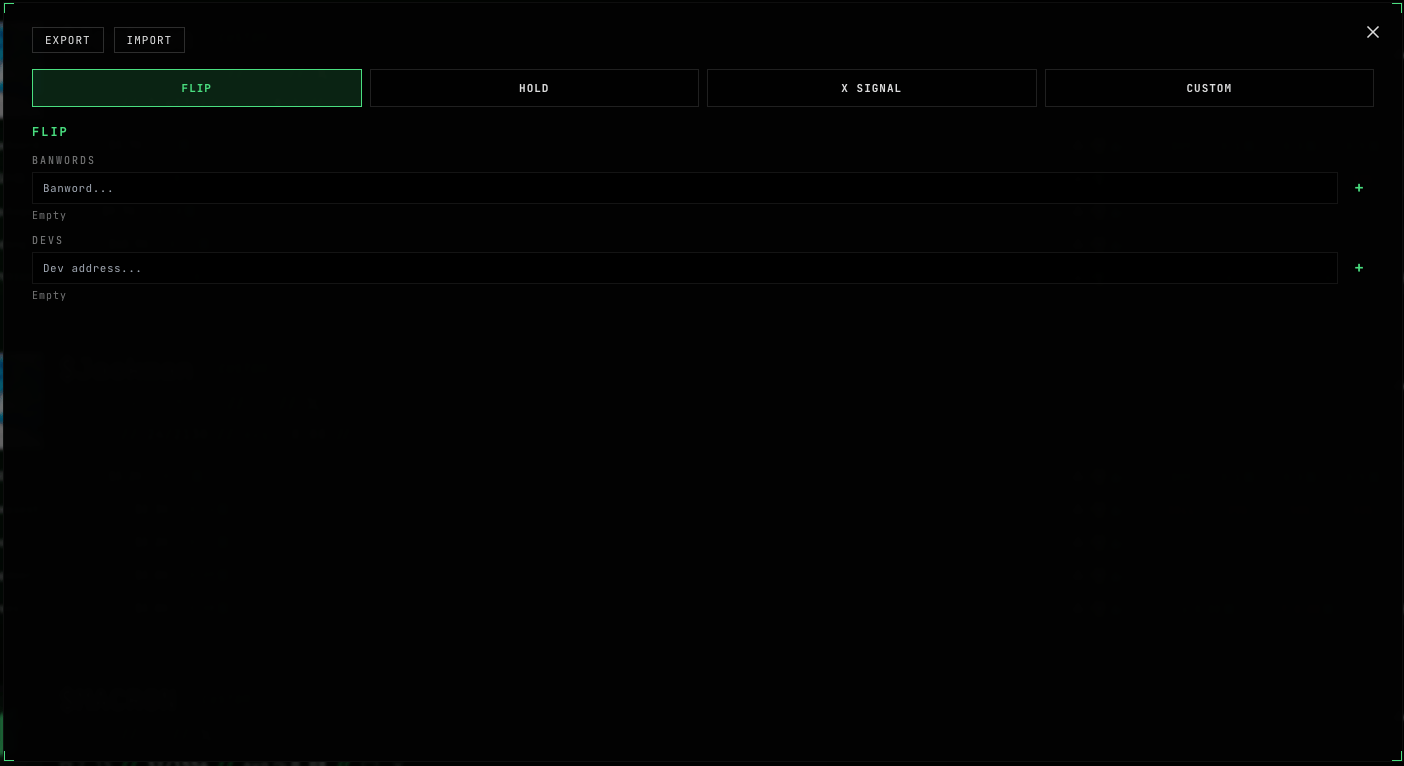
For each of the 4 strategies (**FLIP / HOLD / X SIGNAL / CUSTOM**) you can block devs (by wallet address) or words (banwords) in the token name or ticker. Blocked items won't reach that strategy's feed. Import/export is supported.
## TOP — best signals of the last 24h
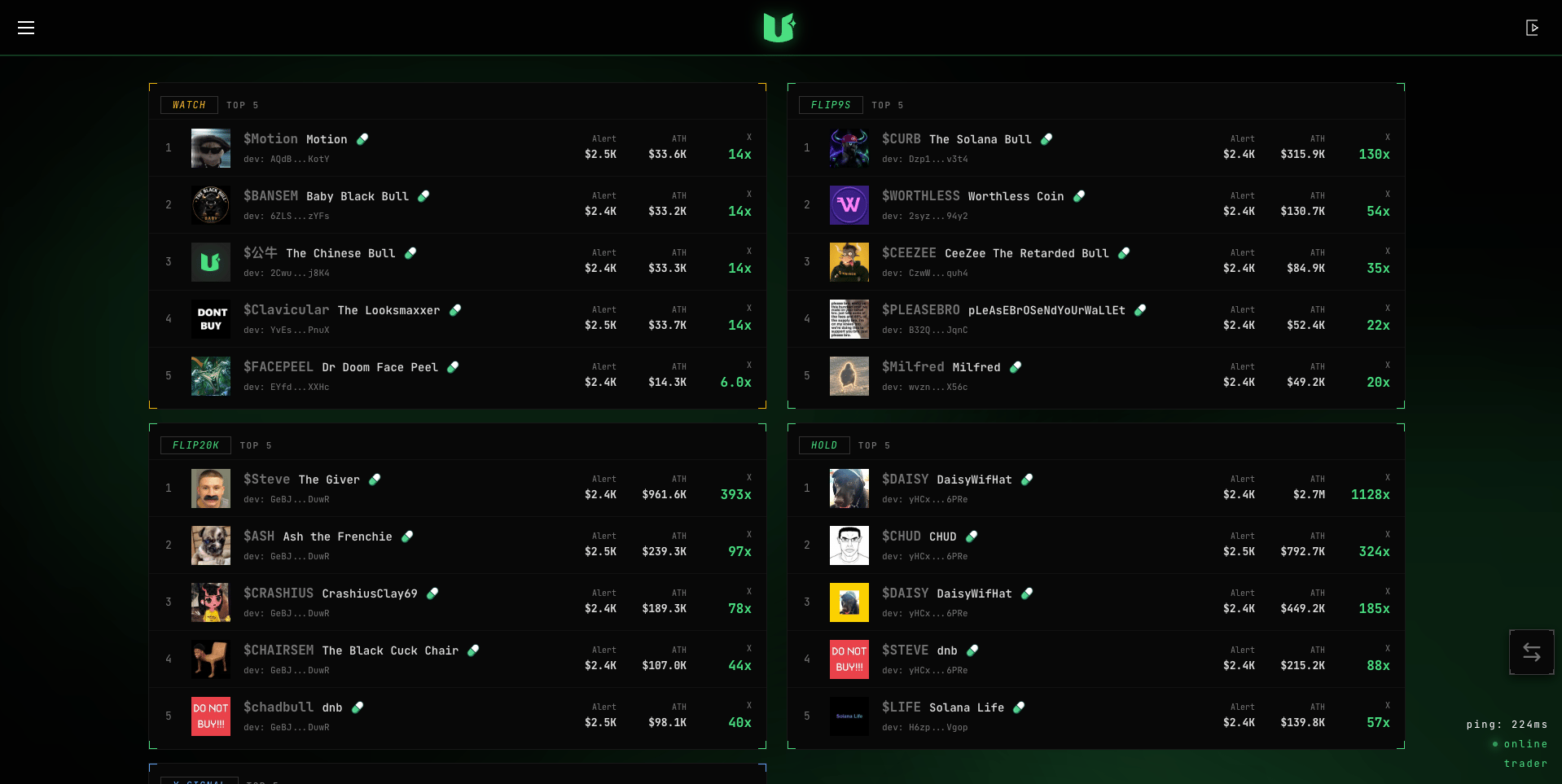
The **TOP** tab shows the **5 best tokens** per strategy over the last 24 hours: WATCH, FLIP9S, FLIP20K, HOLD and X SIGNAL. For each — the ticker, the market cap when it fired, its all-time-high, and the growth multiple (e.g. `3.4x`).
Connect a wallet and trade (TRADER KIT).