> ## Documentation Index
> Fetch the complete documentation index at: https://docs.usefulsol.fun/llms.txt
> Use this file to discover all available pages before exploring further.
# Find the OG in seconds
> Available on the paid TRADER KIT plan.
**OG** (original) — the very first token for a narrative or piece of news. When the same story comes back around, copycats flood in; **OG Finder** finds the oldest lookalike in seconds (by name, ticker or image).
## How to open
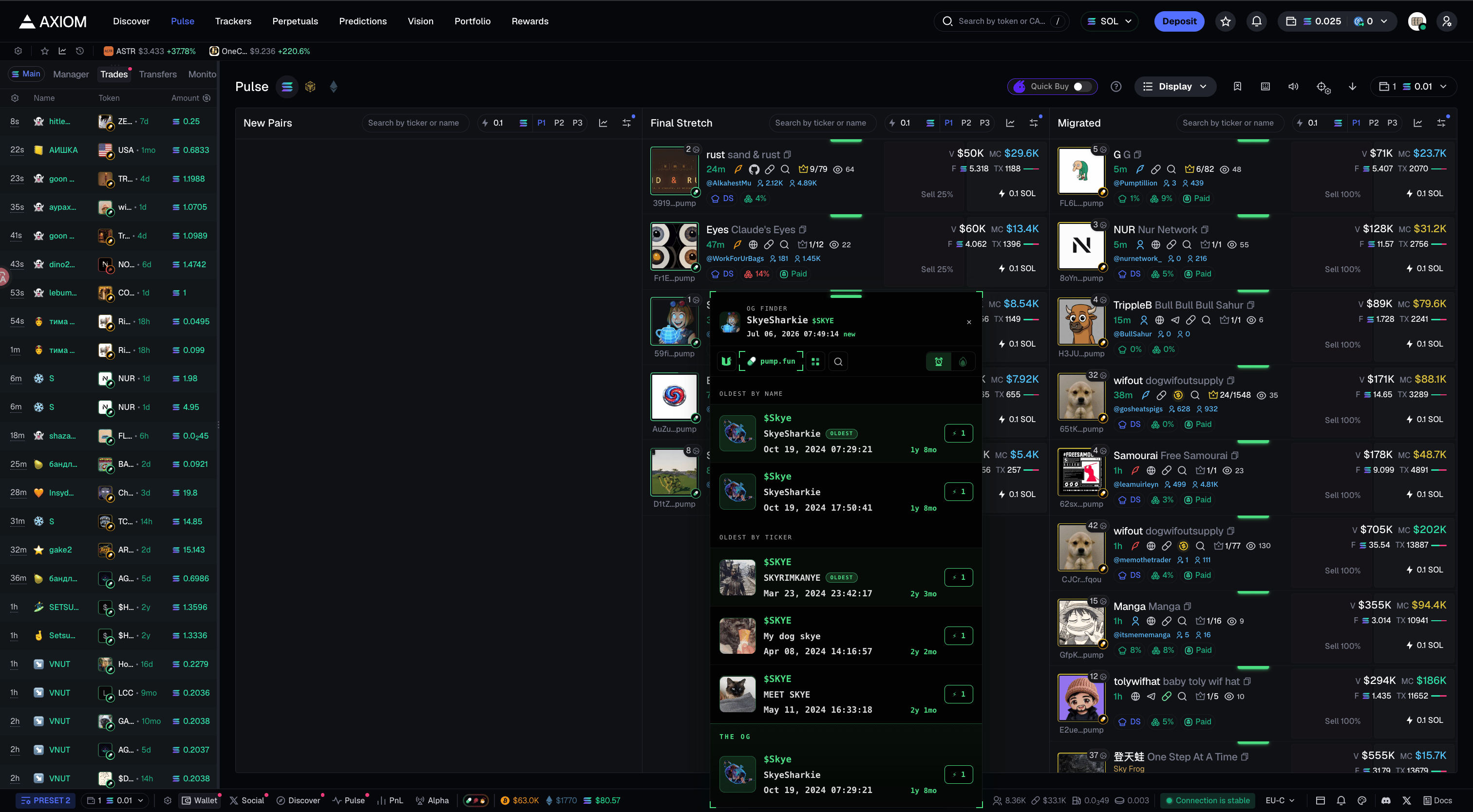
A thin green marker appears above a token card in the feed and above a token page in Axiom, GMGN and Terminal. **Hover** it and the OG Finder panel opens on its own. Close it with ✕.
 ## Inside the panel
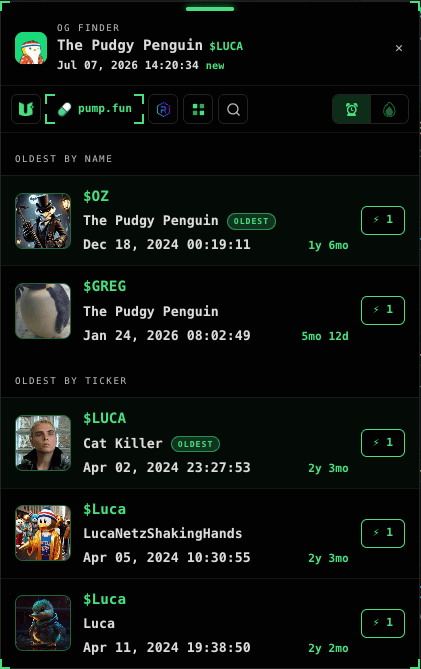
* **Header** — the token itself: avatar, name, `$ticker`, exact creation date & time and age.
* **Two lists** — OLDEST BY NAME and OLDEST BY TICKER, up to 3 each. The eldest gets an **OLDEST** badge.
* **Each row** — avatar, `$ticker`, name, date, age and a **BUY** button.
## Source buttons
The row of buttons at the top of the panel picks **where to search** for the OG:
* **OG Finder** — **image search**: the AI reads pictures by meaning, it doesn't compare the drawings pixel-by-pixel.
* **pump.fun · Bonk · Bags · Raydium** — search a specific launchpad.
* **All** — search everywhere at once.
* **Search** — type a word to search manually on pump.fun.
On the right, two icons sort the results: **oldest** (by age) and **last trade**. Buttons with no results are hidden.
## Actions
**Left-click** — open in the current tab. **Middle-click** (wheel) — in a background tab.
**BUY** buys the token with your 4th preset (no confirmation) and opens it in your terminal.
## THE OG
At the bottom of the panel — the **THE OG** block: an auto-verdict. The server combines image, ticker and name and surfaces the most likely OG when it finds one.
If something's off, message support.
## Inside the panel
* **Header** — the token itself: avatar, name, `$ticker`, exact creation date & time and age.
* **Two lists** — OLDEST BY NAME and OLDEST BY TICKER, up to 3 each. The eldest gets an **OLDEST** badge.
* **Each row** — avatar, `$ticker`, name, date, age and a **BUY** button.
## Source buttons
The row of buttons at the top of the panel picks **where to search** for the OG:
* **OG Finder** — **image search**: the AI reads pictures by meaning, it doesn't compare the drawings pixel-by-pixel.
* **pump.fun · Bonk · Bags · Raydium** — search a specific launchpad.
* **All** — search everywhere at once.
* **Search** — type a word to search manually on pump.fun.
On the right, two icons sort the results: **oldest** (by age) and **last trade**. Buttons with no results are hidden.
## Actions
**Left-click** — open in the current tab. **Middle-click** (wheel) — in a background tab.
**BUY** buys the token with your 4th preset (no confirmation) and opens it in your terminal.
## THE OG
At the bottom of the panel — the **THE OG** block: an auto-verdict. The server combines image, ticker and name and surfaces the most likely OG when it finds one.
If something's off, message support.